Setting Up Your Matter Devices
How many steps does it take to turn on a lightbulb?
If you’ve ever struggled setting up a new device, jumping from app to app, having to create or log into multiple accounts, or tweaking settings just to get a simple smart home device connected, you’ll know that smart home setup can sometimes be a frustrating experience.
You don’t want to be switching between apps or tweaking your router settings… you just want your new device to work.
Matter helps reduce complexity and confusion by using a consistent setup process across devices, and the apps and ecosystems that you already use.
This standardized approach means that whether you are powering up a Matter device for the first time, or adding it to new apps and ecosystems, you can skip the stress and jump straight to the fun.
A Reliable Setup Standard
Matter was designed to help make your smart home experience more consistent, reliable, and secure right from the very first step.
To manage your devices with a smart home ecosystem, you first need a Matter Controller: a device that belongs to the ecosystem you want to connect your Matter devices to.
The good news is that Matter Controllers are already built into a bunch of smart home hardware that you may already own, or are planning to buy, such as a hub, smart speaker, set-top box, Wi-Fi router, a smart TV, or even a refrigerator!
Your Matter Controller acts as the brain of your Matter home within that ecosystem, helping manage setup, control, and communication.
Every Matter product comes with a unique setup code, which is usually a QR or numeric code you can find on the device, the packaging, or in the device maker’s app.
This code is the key to proving the device is genuine and secure. Matter lets you choose how you complete the process; you can usually start the setup from the device manufacturer’s own app, or your smart home ecosystem’s app.
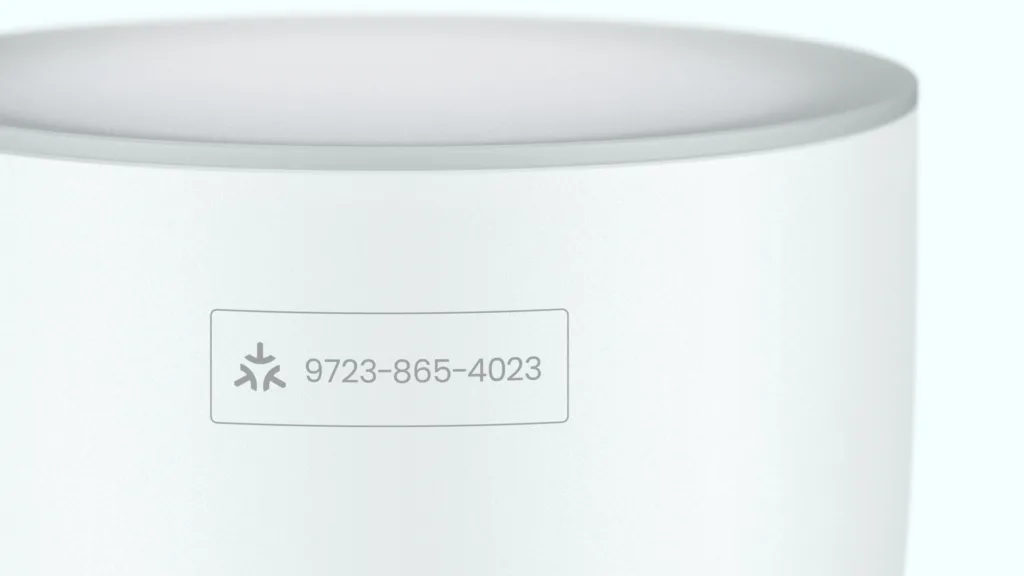
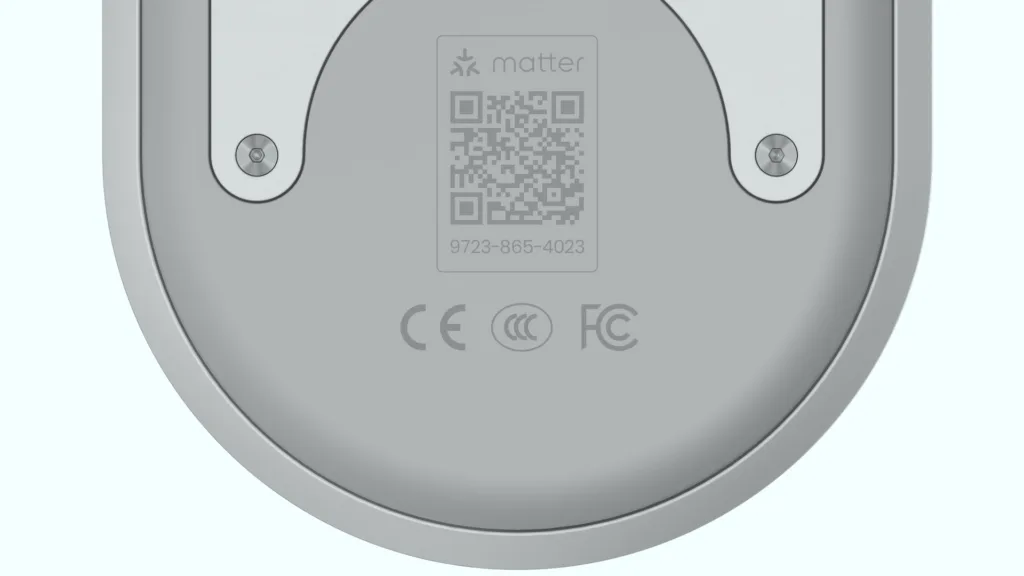
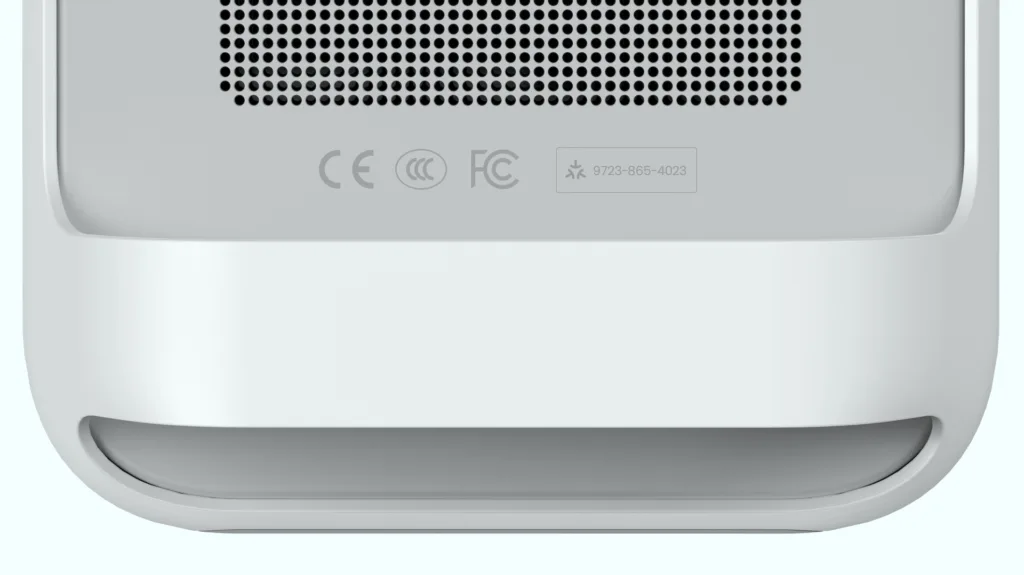
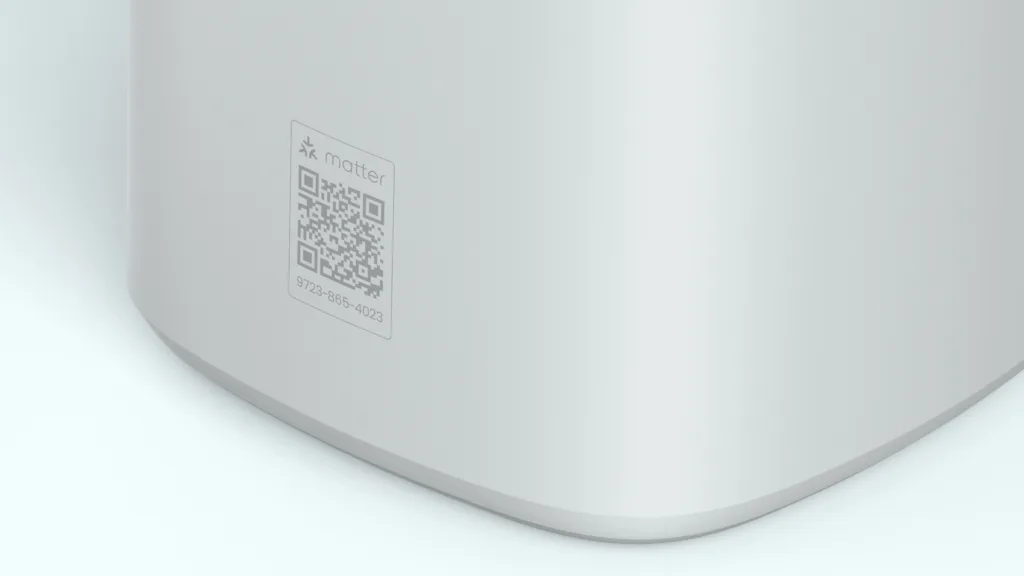
In many cases, the process is as simple as scanning the QR code with your phone’s camera or entering the numeric code manually. That’s it. Matter uses that code to securely connect the device to your chosen Matter app or ecosystem.
For some devices you may also be able to simply tap your phone against the device, much like you do for a contactless payment, and have your Matter device securely connect to your smart home using NFC.
Depending on your smart home ecosystem, you might even get a notification when a new Matter device is powered on nearby, guiding you directly into the setup process.
For more complex devices – like door locks or thermostats – you may be walked through additional installation or configuration steps in the device maker’s app first, helping ensure everything is installed properly and safely before connecting it to other apps and ecosystems via Matter.
By standardizing setup, Matter delivers a consistent setup experience that is both reliable and secure. It helps ensure every device is authenticated and protected with strong encryption from the moment it joins your smart home network.

Multi-Admin: Control Your Home, Your Way
Once you’ve got a device connected to your first app or ecosystem, Matter’s Multi-Admin feature makes it much easier to connect to other apps or ecosystems.
Everyone in your household can choose how they want to control your home’s devices; you don’t all need to be using the same types of smartphones or even the same smart home ecosystems.
To share a device you’ll usually use the app it’s already connected with to connect it with another Matter Controller or app that supports that kind of device.
Some devices may also allow you to start this from the device itself.
Either way, this starts a familiar setup flow using a new Matter setup code, making sharing devices and control across your family much simpler.
Latest Posts
We’re constantly updating the Matter website, so be sure to check back for all the latest information.